Blog · Templates
Microsoft Ads (Bing) report template for clients
Microsoft Ads usually runs next to Google Ads, so the report should answer one thing: is Bing worth its share of the budget? Show spend, conversions, CPA or ROAS side by side with Google, then the campaigns and search terms behind the numbers.
Metrics to include
| Metric | Why |
|---|---|
| Spend, clicks, CPC | Bing traffic is often cheaper; show it |
| CTR and impression share | How much of the available search you are winning |
| Conversions and CPA | The comparison clients care about |
| Revenue and ROAS | For ecommerce accounts |
| Quality Score | Spot keywords that cost too much |
Page layout
- Summary: Bing and Google side by side, with totals.
- Campaigns: the full table.
- Search terms: winners to add and waste to exclude (see negative keywords).
- Next month: budget shift and tests.
How to export
In Microsoft Advertising go to Reports, open a Campaign report, set the time period and download it as CSV. Add a Search query report for the search term page. Steps: Microsoft Ads export guide.
Build it with Google in one report
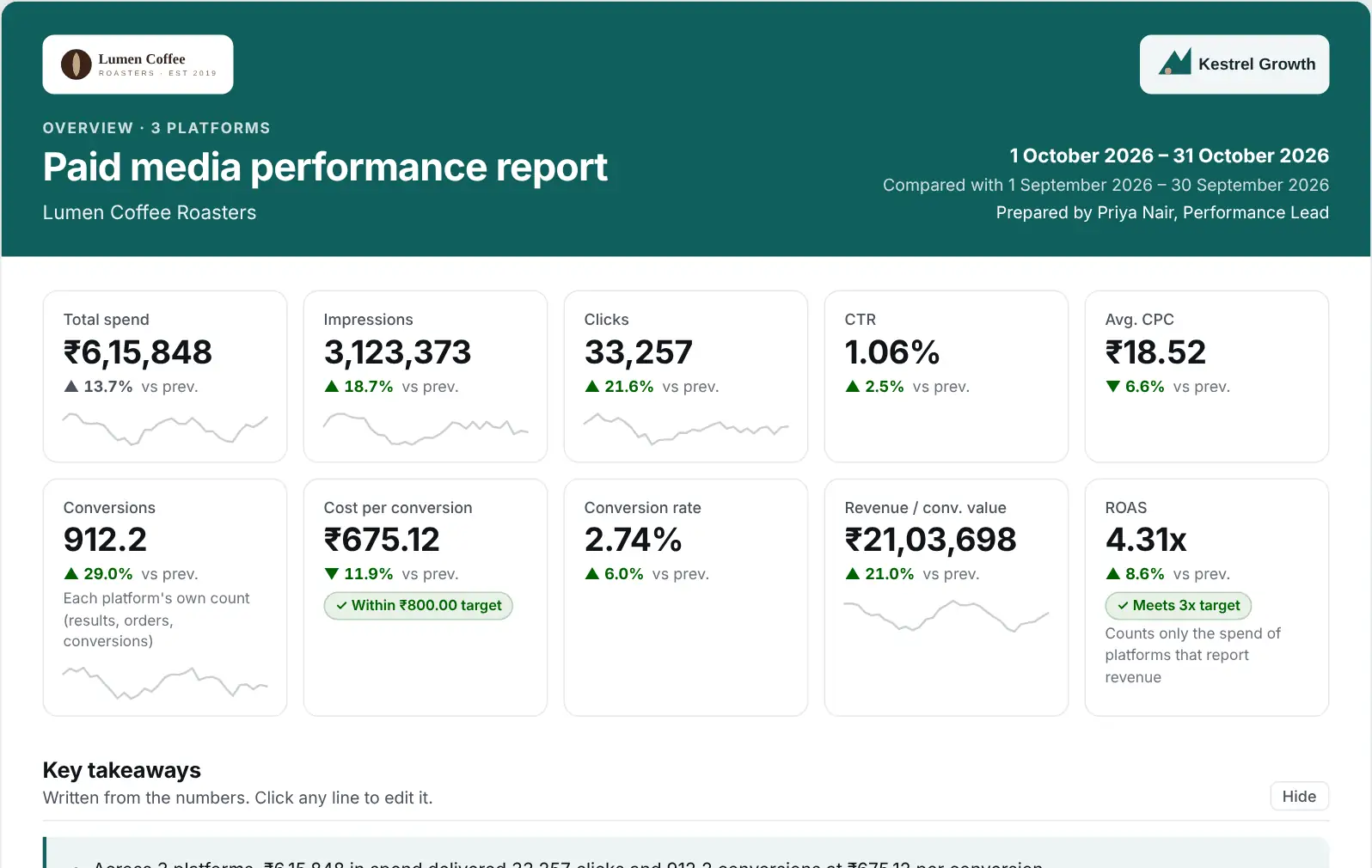
Upload the Microsoft Ads and Google Ads exports to Recapora for one branded report with totals and a page per platform. If campaigns were imported from Google, the names match, so the comparison is easy to read. Read more on the Google Ads report template.
How it works
- Export a table from each ad platform as CSV or Excel. Export guides for 22 platforms.
- Drop the files into Recapora. Platforms, columns, currency and dates are detected for you.
- Add your logo, your client's logo and colours, check the takeaways and download.
Questions
What should a Microsoft Ads report include?
Spend, clicks, CPC, CTR, impression share, conversions, CPA or ROAS, a campaign table and a search term page, ideally next to Google Ads.
How do I export a Bing Ads report?
In Microsoft Advertising, open Reports, choose a Campaign report, set the time period and download it as CSV.
Can I combine Microsoft Ads and Google Ads in one report?
Yes. Upload both exports to Recapora and it builds one report with totals and a page per platform.
Related: CPM vs CPC · Meta ads metrics explained · Instamart ads guide · LinkedIn ads report template · TikTok ads report template · Amazon ads report template · Negative keywords for Google Ads · UTM parameters for Google and Meta ads · All articles