Blog · How-to
How to export Google Ads data to Excel
Open the table you want in Google Ads (Campaigns, Keywords or Search terms), set the date range, click the download icon above the table and choose Excel .xlsx or .csv. For a repeat export, use Reports › Report editor and schedule it to your email.
Export any table in four clicks
- Go to Campaigns (or Ad groups, Keywords, Search terms) in Google Ads.
- Set the date range top right. Add a Segment › Time › Day if you want a daily trend.
- Pick your columns: at least cost, impressions, clicks, conversions and conversion value.
- Click the download icon above the table and choose Excel .xlsx or .csv.
Schedule it every month
In Reports › Report editor, build a table with the same columns, save it, then use Schedule to email it as Excel or CSV each week or month. Handy when you report to clients on a fixed date.
Fix common Excel problems
- Numbers show as text: the export uses commas or currency signs; use Data › Text to Columns, or import via Data › From Text/CSV.
- Totals rows at the bottom: Google adds total rows; delete them before you build pivot tables.
- Wrong dates: check your Excel locale (DD/MM vs MM/DD) when you open the CSV.
From export to client report
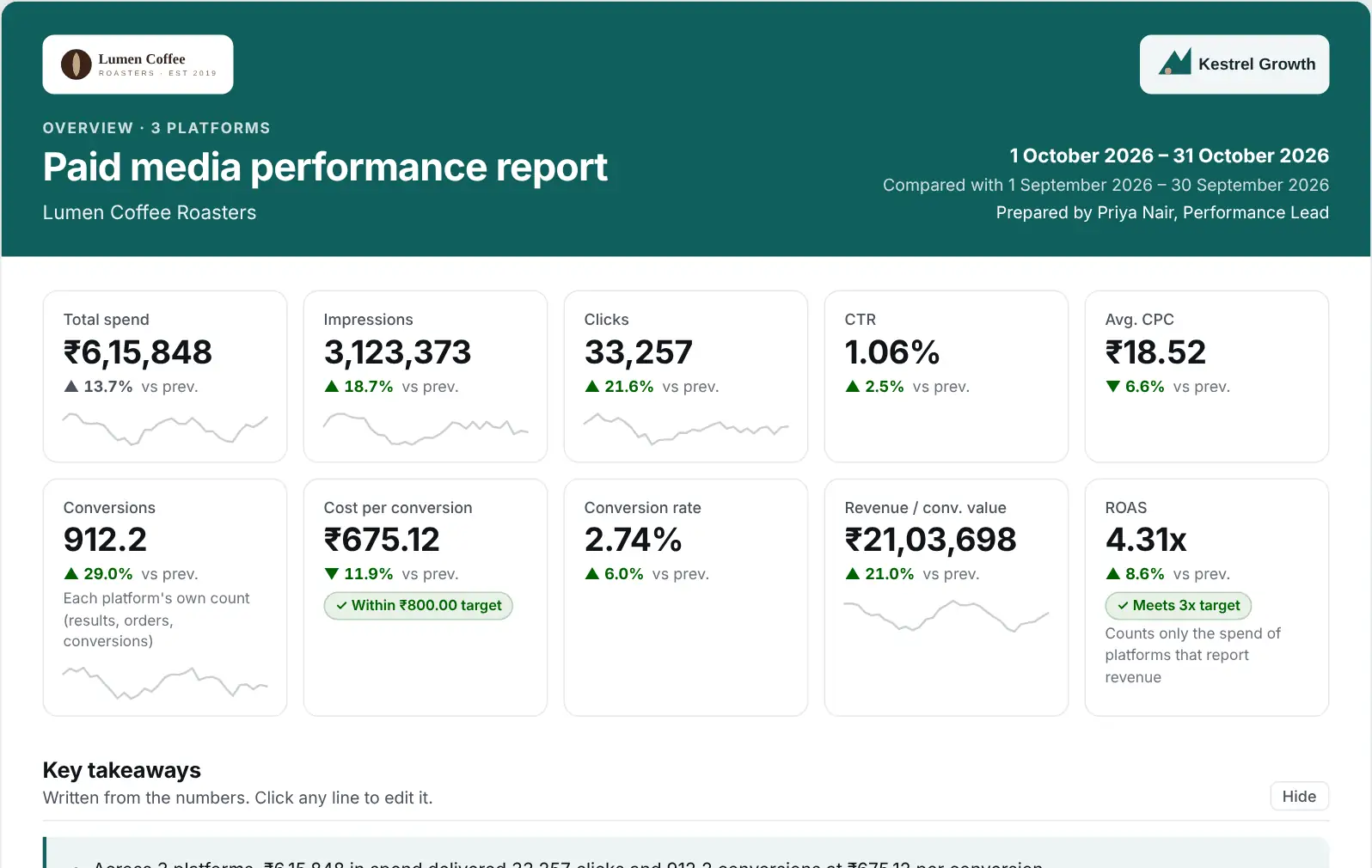
Use the Google Ads report template for Excel, or drop the same file into Recapora to get a branded report with CTR, CPC, CPA and ROAS worked out and written takeaways. The same steps work for Microsoft Ads, which uses an almost identical layout.
How it works
- Export a table from each ad platform as CSV or Excel. Export guides for 22 platforms.
- Drop the files into Recapora. Platforms, columns, currency and dates are detected for you.
- Add your logo, your client's logo and colours, check the takeaways and download.
Questions
How do I export Google Ads data to Excel?
Open Campaigns, Keywords or Search terms, set the date range, click the download icon above the table and choose Excel .xlsx or .csv.
Can I schedule a Google Ads export?
Yes. Build the table in Reports › Report editor, save it, and schedule it to be emailed as Excel or CSV weekly or monthly.
Why do Google Ads numbers show as text in Excel?
The CSV can include commas and currency symbols. Import it through Data › From Text/CSV or use Text to Columns to convert them to numbers.
Related: PPC formulas cheat sheet · Amazon Ads reporting API · Budget pacing formula · Microsoft Ads report template · CPM vs CPC · Meta ads metrics explained · Instamart ads guide · LinkedIn ads report template · All articles