Blog · Quick commerce
Zepto ads: a practical guide for brands and agencies
Zepto ads let brands promote products inside the Zepto app, mostly in search results and category listings, plus banner and brand placements. You manage campaigns and download results from the Zepto brand ads portal, and judge them on ad sales, ROAS and city-level performance.
Where Zepto ads appear
- Search and listing ads: sponsored products when shoppers search or browse categories.
- Banner and brand placements: visual units on the home screen and category pages, often used for launches and sales.
Formats and names change; check the current options in your Zepto ads portal.
Analytics in the Zepto ads portal
The portal's dashboard and downloadable reports typically show spend, impressions, clicks, orders, ad sales and ROAS, by campaign, product and city. Track ROAS, CPC, conversion rate and sales by city.
Mistakes to avoid
- Reading a ROAS drop in one city as an ad problem when the dark store was out of stock.
- Comparing Zepto ROAS with Amazon ACoS without converting (ROAS = 100 ÷ ACoS).
- Sending the client three separate quick commerce reports.
Report Zepto with Blinkit and Instamart
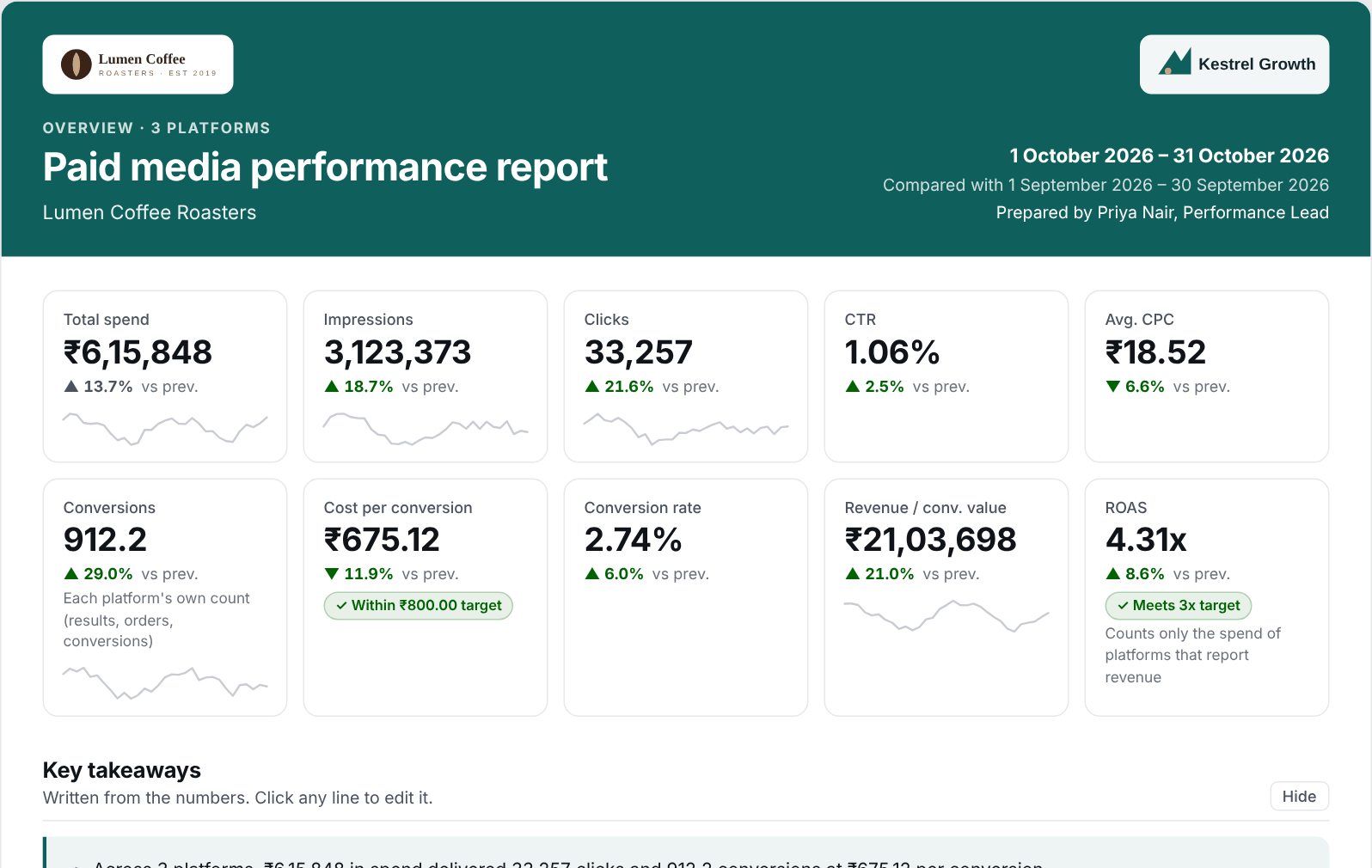
Download the campaign report from each portal and drop them into Recapora for one branded report with totals and a page per app. See the quick commerce ads report, the Blinkit ads guide and how to export Zepto ads data.
How it works
- Export a table from each ad platform as CSV or Excel. Export guides for 22 platforms.
- Drop the files into Recapora. Platforms, columns, currency and dates are detected for you.
- Add your logo, your client's logo and colours, check the takeaways and download.
Questions
What are Zepto ads?
Paid placements that promote a brand's products inside the Zepto app, mainly in search results, category listings and banners.
Where do I see Zepto ads analytics?
In the Zepto brand ads portal, which shows spend, clicks, orders, ad sales and ROAS and lets you download reports.
Can I combine Zepto and Blinkit ad reports?
Yes. Download both portal reports and combine them in Recapora into one client report.
Related: Negative keywords for Google Ads · UTM parameters for Google and Meta ads · What is a good CTR? · Flipkart ads guide · Meta ads report in Google Sheets · Google Ads reporting tools · How to calculate ROAS · Meta ads ROAS goal · All articles