Templates
PPC report template in Excel: what to include (and a faster way)
Many agencies start with a spreadsheet template for monthly PPC reports. It works, but every month means pasting exports, fixing formulas and rebuilding charts. Here is what a good template needs, and how to get the same report automatically.
Columns your template needs
Campaign, platform, spend, impressions, clicks, conversions and conversion value, plus calculated columns:
- CTR = clicks ÷ impressions
- CPC = spend ÷ clicks
- CPA = spend ÷ conversions
- ROAS = conversion value ÷ spend
- Change vs last month for each
Where spreadsheets go wrong
- Every platform exports different column names, so pasting breaks formulas.
- Totals of ratios are wrong if you average them; CPA and ROAS must be recalculated from summed spend and results.
- Charts and formatting need redoing for each client.
- Writing the summary still takes the longest.
The automatic alternative
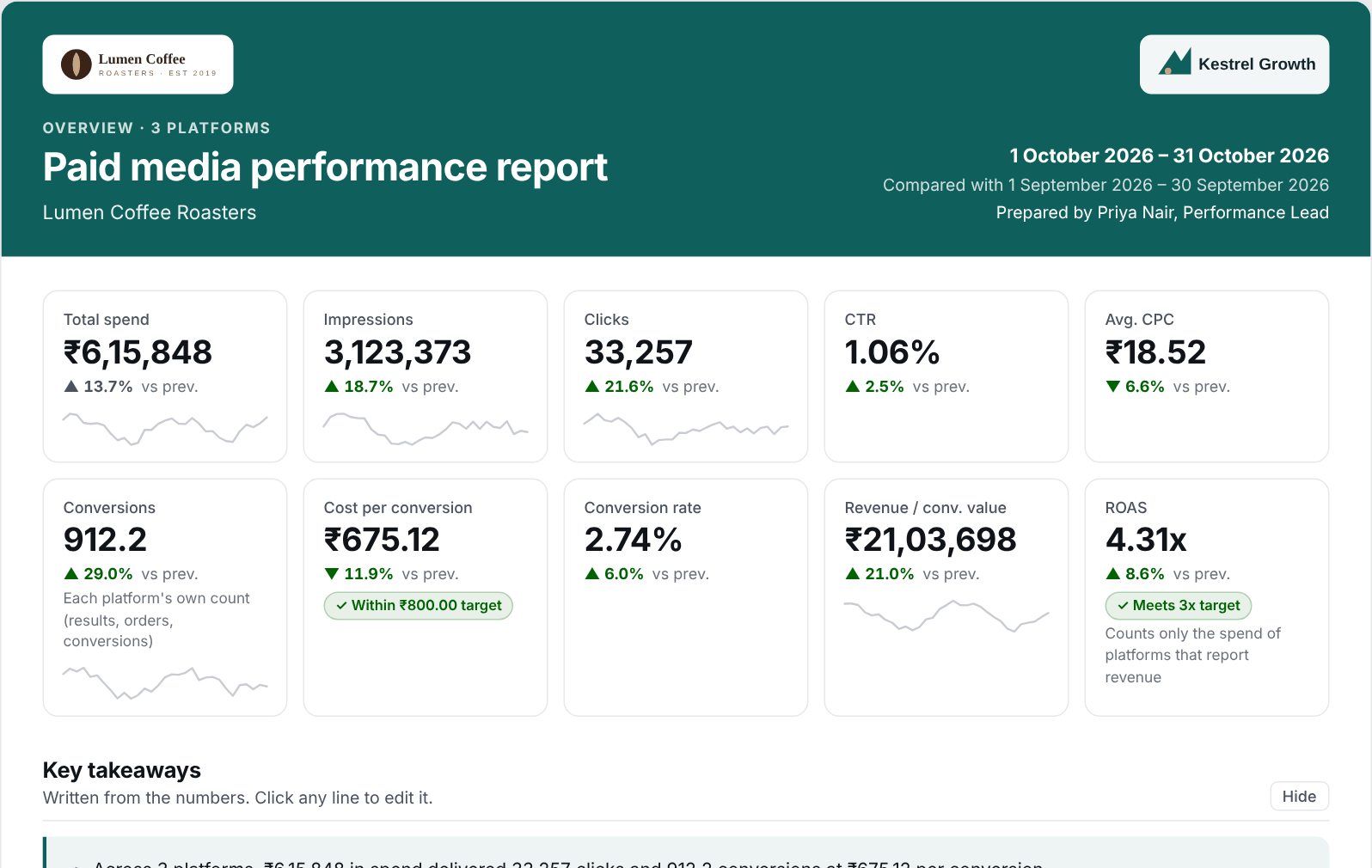
Recapora takes the same exports, matches the columns for 22 platforms, works out every metric correctly, and builds a branded report with charts and written takeaways. See a sample, or try the free ROAS calculator for quick checks.
How it works
- Export a table from each ad platform as CSV or Excel. Export guides for 22 platforms.
- Drop the files into Recapora. Platforms, columns, currency and dates are detected for you.
- Add your logo, your client's logo and colours, check the takeaways and download.
Questions
How do I make a PPC report in Excel?
Paste each platform's campaign export into one sheet with columns for spend, impressions, clicks, conversions and value, then add formulas for CTR, CPC, CPA and ROAS, a pivot by platform and charts by day.
Why is my total ROAS wrong in Excel?
Probably because you averaged each campaign's ROAS. Total ROAS must be total conversion value ÷ total spend.
Related: How to calculate ROAS · Meta ads ROAS goal · Looker Studio alternatives · Blinkit ads guide · What is a good ROAS? · How to read a Google Ads report · Meta ads report template · Google Ads report template (Excel) · All articles