Blog · Templates
Facebook and Meta ads report template (free download)
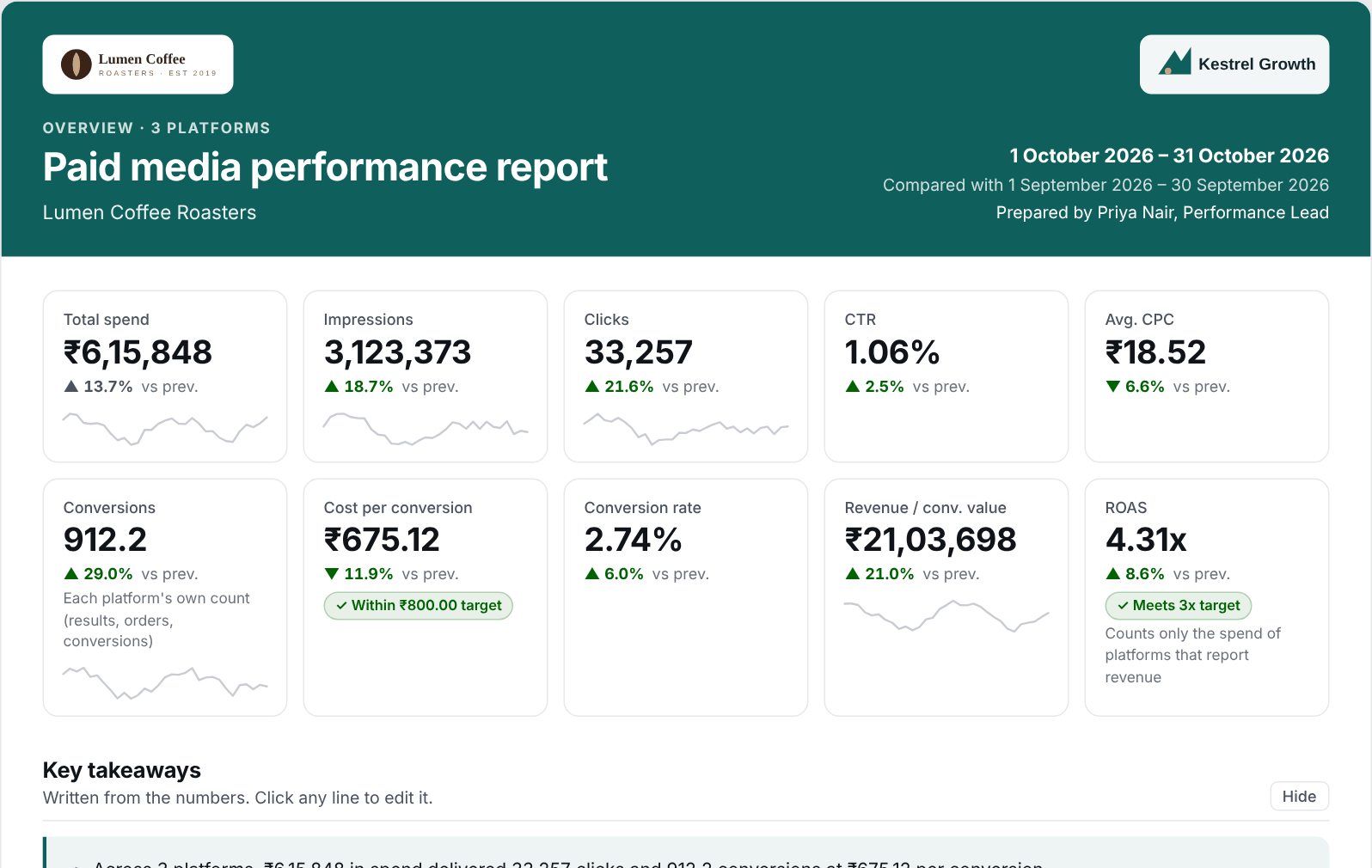
Download a free Excel template for reporting Meta ads to clients, with formulas already set up, then see what a finished client report should include. It opens in Excel and Google Sheets.
Download the template
Download the free report template (.xlsx)
It has a Meta Ads sheet, a Google Ads sheet and a summary that totals both and compares with last month. To use it in Google Sheets: File → Import → Upload.
Which Meta columns to export
In Ads Manager, export the campaign or ad set table with: Amount spent, Impressions, Reach, Frequency, Link clicks, CTR (link click-through rate), CPC (cost per link click), Results, Cost per result, Purchases conversion value and Purchase ROAS. Add Breakdown → By time → Day for trends. Full steps: how to export from Meta Ads Manager.
What the report should include
- Overview: spend, results, cost per result, revenue and ROAS vs last month.
- Prospecting vs retargeting split.
- Top 3 and bottom 3 ads with thumbnails.
- Frequency trend, to spot ad fatigue.
- Three to five written takeaways and next month's plan.
Skip the spreadsheet
Recapora reads the Meta export directly and builds the full branded report, with charts and takeaways, in about five minutes. See a sample report.
How it works
- Export a table from each ad platform as CSV or Excel. Export guides for 22 platforms.
- Drop the files into Recapora. Platforms, columns, currency and dates are detected for you.
- Add your logo, your client's logo and colours, check the takeaways and download.
Questions
Is there a free Facebook ads report template?
Yes. Download the free Excel template on this page; it works in Excel and Google Sheets and calculates CTR, CPC, CPA and ROAS.
Can I use the template in Google Sheets?
Yes. In Google Sheets choose File → Import → Upload and select the downloaded file.
What metrics go in a Meta ads report?
Amount spent, results, cost per result, link clicks, CTR, CPC, reach, frequency, purchase value and ROAS, compared with last month.
Related: How to calculate ROAS · Meta ads ROAS goal · Looker Studio alternatives · Blinkit ads guide · What is a good ROAS? · How to read a Google Ads report · Google Ads report template (Excel) · Monthly marketing report template · All articles