PPC reporting
PPC report generator: from export to PDF in five minutes
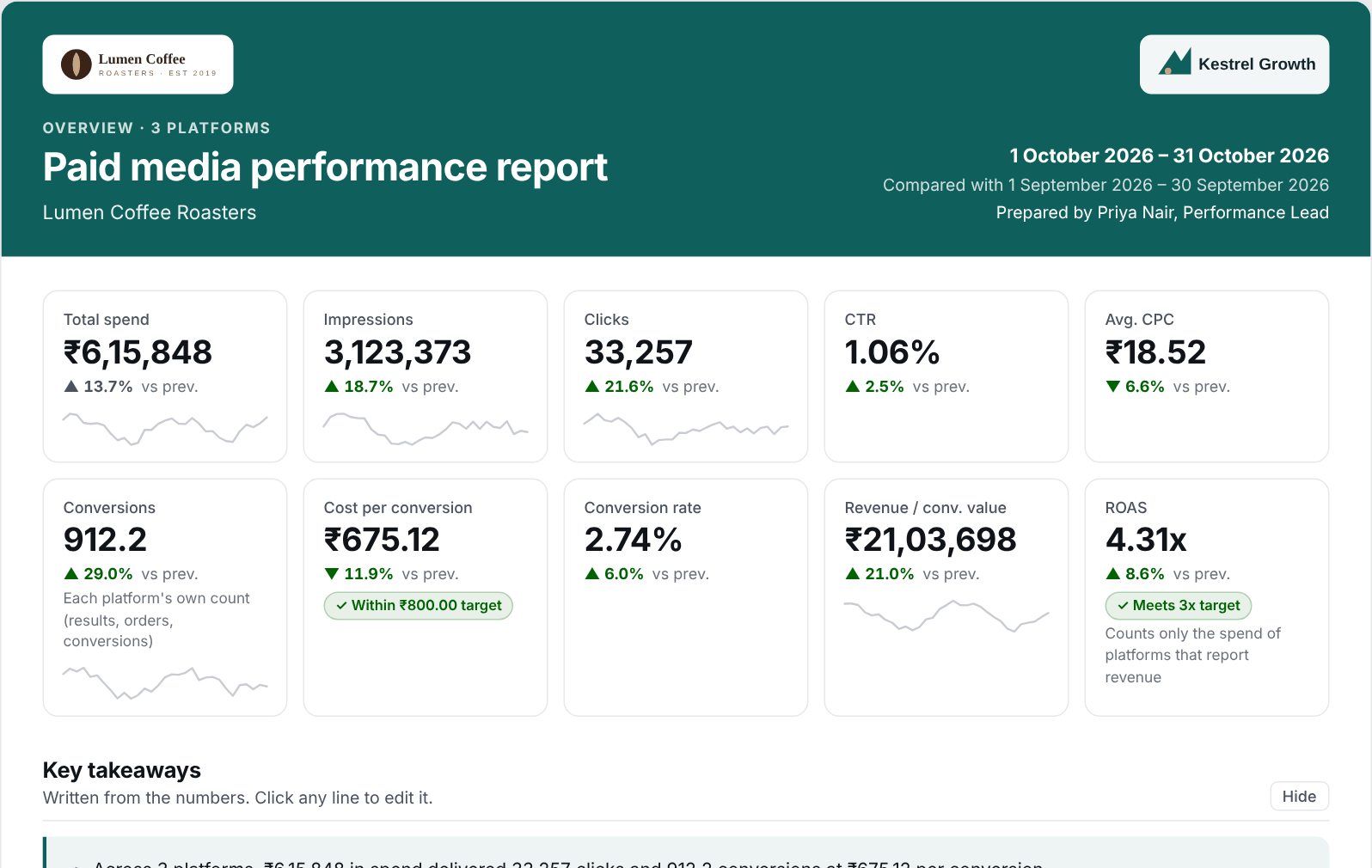
Stop copying numbers into slides. Drop your PPC exports into Recapora and download a branded report, as one file for the browser or a clean multi-page PDF.
What you get
- A cover page with your logo and your client's logo.
- An overview across all PPC platforms with spend, clicks, conversions, CPA and ROAS.
- A page per platform with campaign, keyword and search term tables.
- Trend charts, budget pacing and target checks.
- Takeaways written from the numbers.
Supported PPC platforms
Google Ads, Microsoft Advertising (Bing), Amazon Sponsored Products and Brands, Flipkart Ads, Meta, LinkedIn, Reddit, Quora and more. See all 22 platform guides.
Your data stays private
The report is generated in your browser. Exports are never uploaded to a server, which keeps client data out of third-party tools.
How it works
- Export a table from each ad platform as CSV or Excel. Export guides for 22 platforms.
- Drop the files into Recapora. Platforms, columns, currency and dates are detected for you.
- Add your logo, your client's logo and colours, check the takeaways and download.
Questions
Is the PPC report generator free?
There is a free plan for one client, and a 7-day free trial of every paid plan.
Can I edit the report before sending?
Yes. Edit any takeaway, hide sections, rename campaigns and reorder platforms.
What file types work?
CSV, TSV and Excel (.xlsx and .xls), including exports with summary rows or totals at the bottom.
Related: How to calculate ROAS · Meta ads ROAS goal · Looker Studio alternatives · Blinkit ads guide · What is a good ROAS? · How to read a Google Ads report · Meta ads report template · Google Ads report template (Excel) · All articles