Templates
Email templates for sending monthly ad reports to clients
The email decides whether the client opens the report. Lead with the one number they care about, give the reason, and end with a clear next step. Copy one of these and change the brackets.
Template 1: A good month
Subject: [Client] ads in [Month]: [ROAS 4.2x / 312 leads], up [18]%

Hi [Name],

Your [Month] report is attached. The short version:

• [Revenue / leads]: [₹X / N], up [X]% on [last month]
• Cost per [purchase / lead]: [₹X], down [X]%
• Best performer: [campaign or ad], at [metric]

What drove it: [one sentence, e.g. the new UGC video ads].

Next month we plan to [action] and expect [result].

Happy to walk you through it on a 15-minute call this week.

[Your name]
Template 2: A difficult month
Subject: [Client] ads in [Month]: what happened and our plan

Hi [Name],

Your [Month] report is attached. Results were below target:
[cost per lead rose from ₹X to ₹Y / ROAS fell to Xx].

Why: [clear reason, e.g. CPMs rose about 30% during the festive sale period, and our top ad fatigued].

What we have already done: [paused X, launched Y on date].

What we will do next: [plan], and we will share an update by [date].

[Your name]
Template 3: The first report
Subject: Your first monthly ads report, [Month]

Hi [Name],

Attached is your first monthly report. Page 1 shows the totals across all platforms, then there is one page per platform and our recommendations at the end.

The numbers to watch each month are [ROAS / cost per lead] and [spend vs budget]. This month: [metric].

Any questions, reply here or let's set up a quick call.

[Your name]
Tips
- Put the headline number in the subject line.
- Never send a bad month without the reason and the fix in the same email.
- Attach a PDF and also paste the top three takeaways in the email body.
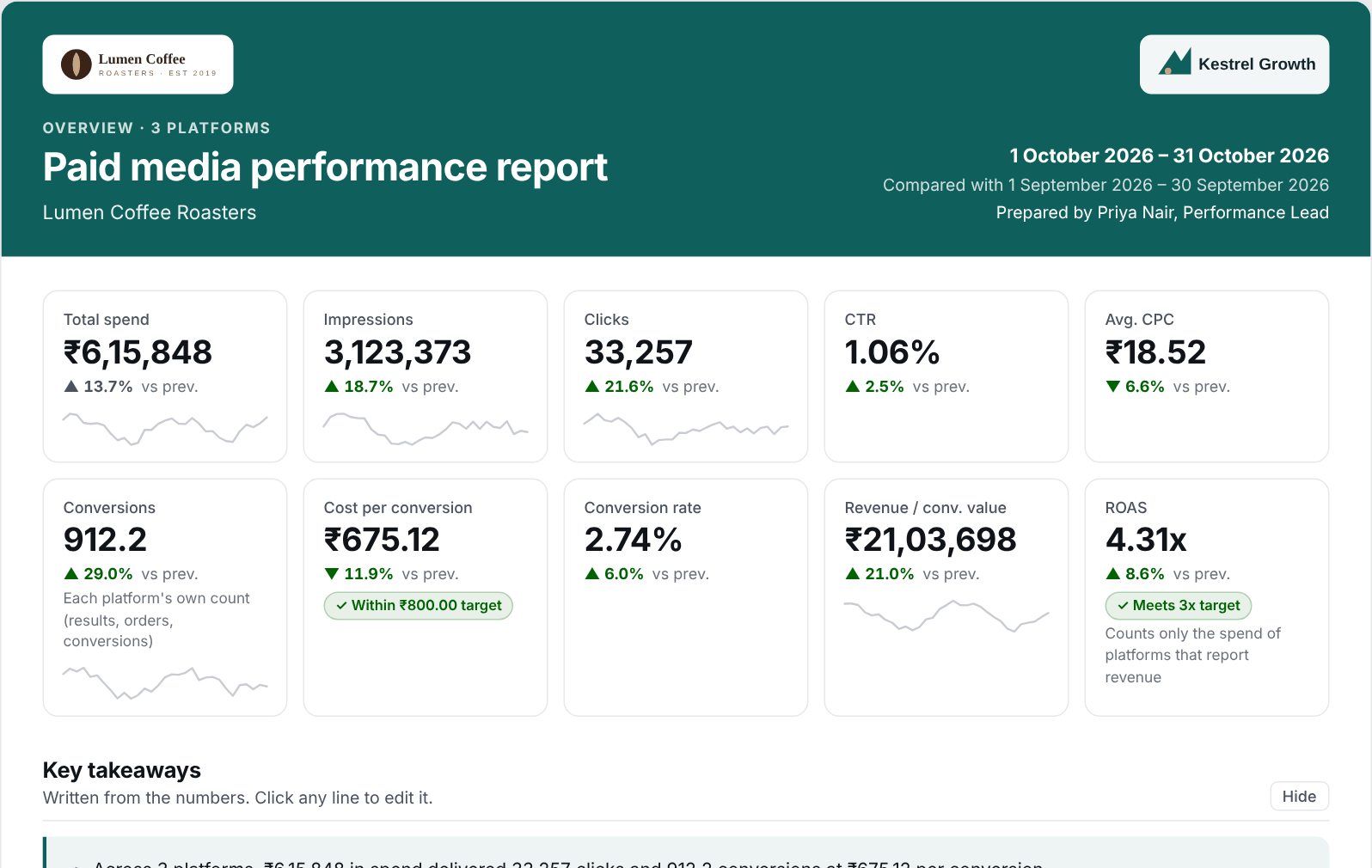
- Recapora writes these takeaways from the numbers for you: see an example.
How it works
- Export a table from each ad platform as CSV or Excel. Export guides for 22 platforms.
- Drop the files into Recapora. Platforms, columns, currency and dates are detected for you.
- Add your logo, your client's logo and colours, check the takeaways and download.
Questions
What should I write when sending a report to a client?
The headline result with its change from last month, the main reason, and the plan for next month, in under 120 words, with the report attached.
Should I send reports as PDF?
Yes, PDF is the safest format: it looks the same on every device and can be forwarded inside the client's company.
Related: How to calculate ROAS · Meta ads ROAS goal · Looker Studio alternatives · Blinkit ads guide · What is a good ROAS? · How to read a Google Ads report · Meta ads report template · Google Ads report template (Excel) · All articles